 Play free
Typing, math and spelling in one pixel adventure
Kids zap Scramblers, befriend Keylori and grow at typing, math and spelling, one short lesson at a time. One hero, one profile, three subjects.
 For classrooms
Free · Runs in the browser · No downloads · No ads
Mapped to the Ontario curriculum, JK to Grade 8 · not officially endorsed
Made to be played with a keyboard, ideally on a computer or an iPad with a keyboard.
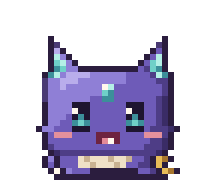
Type · Math · Spell
Four steps to fast fingers
Every lesson is a quick battle. Typing the right keys powers your hero, and true fun facts make every sentence worth reading.
Pick a hero
Choose a buddy, dress them up in the Hero Closet, and set off across Keyloria.
Type to zap
Fingers home on F and J. Each right key zaps a Scrambler. Colors show which finger to use.

Befriend Keylori
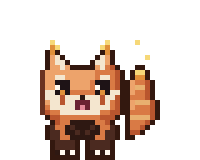
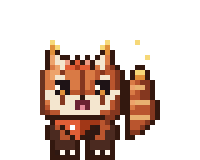
Win a stage and a Keylori joins your collection. There are over 100 to find.

Evolve and level up
Keep practicing and your Keylori evolve. Stars, diamonds and trophies show progress.
Eight games for extra practice
Short, replayable games with high scores for every player on the device, from easy all the way to Beast mode.
Practice number sense, one battle at a time
Math is a full subject inside the same game: lessons in every world, with the same heroes, Keylori and Boss Tests. Questions are mapped to the Ontario Mathematics curriculum, JK to Grade 8. This is not an officially endorsed product.
Ontario curriculum, JK to Grade 8
Counting and number sense up to fractions, ratios and algebra, with Canadian money and spelling.
Battle with answers
Type the answer to zap the Scrambler. Kids earn stars for getting it right, never for going fast.
Progress for grown-ups
The progress report shows stars, lessons done and the current world for each subject. Math never counts toward typing speed.
Type it, spell it, beat the Bee
Spelling is a full subject in the game: lessons in every world, Ontario-mapped word sets from JK to Grade 8, your own weekly lists, and lists teachers send to the whole class. The content is mapped to the Ontario Language curriculum; it is not officially endorsed.
Word sets K to 8
From short vowels and sight words up to Greek and Latin roots and science words.
Look and spell
See the word, it hides, then type it from memory. The way schools teach spelling.
Listen and spell
The word is read aloud, with a sentence for sound-alikes like their and there.
Tricky Words
Missed words come back until they are spelled right three times, and show in the Progress Report.
Stars, medals and Buzz
Earn stars, diamonds and grade medals. A perfect Bee Battle run unlocks a rare hero.
Your own lists
Type in this week's words, or send a list to the whole class from the teacher dashboard.
Race your friends live
Host a race, share the link, and everyone types the same fun fact at the same time, each as their own hero.
- Host a race and get a short room code, or tap Copy invite link to send it.
- Up to 40 racers in one room, each shown with their own hero and outfit.
- Five difficulty levels, from Easy to Impossible.
- Rematch with one tap: everyone goes straight back to the race room.
- Friend challenges: share your arcade score and a friend races your ghost.
Run your class in minutes
No student accounts or emails. Kids join with a short code, and you see everyone's progress live on your dashboard.
Assign any lesson
Pick a Typing, Math or Spelling lesson. Kids see your pick on their home screen and finish with a Submit to teacher button.
Live dashboard
Updates every 10 seconds: where each child is, stars and lessons done in each subject, typing speed and accuracy, and minutes this week.
Every lesson, every child
Tap a name to see every assignment and a map of all lessons: complete, started or not yet.
Class races
Open a race for the whole room and watch progress, accuracy, time, and right and wrong keys.
Class controls
Switch on Focus mode for the whole class: no arcade, outfits or extra animations, just lessons. Hide Math or Spelling if you only want typing.
Works on school devices
Runs in any modern browser on Chromebooks, laptops and desktops.
Built for young typists, with grown-ups in control.
First names only
Only a first name and learning stats (typing, math and spelling progress) are shared with a class. No emails, no passwords, no profiles. Read our privacy page.
No chat
Kids can't message each other or strangers. Races show names and progress, nothing else.
Focus mode
Parents and teachers can turn off the arcade, Hero Closet, catch and evolve animations, the Keylori walking on the menu and more, so it is strictly a learning game, and hide the Math or Spelling lessons. Teachers can lock it for the whole class.
Grown-up check
Settings and teacher tools sit in Teachers, behind a quick grown-up check, and only the class creator can see the dashboard.
Ready to play?
Keyloria is free and ad-free. If it helps your kids or class, you can help keep it that way.
 Support Keyloria